Common ceiling fan issues explained—from overheating to uneven airflow—along with maintenance and troubleshooting tips.
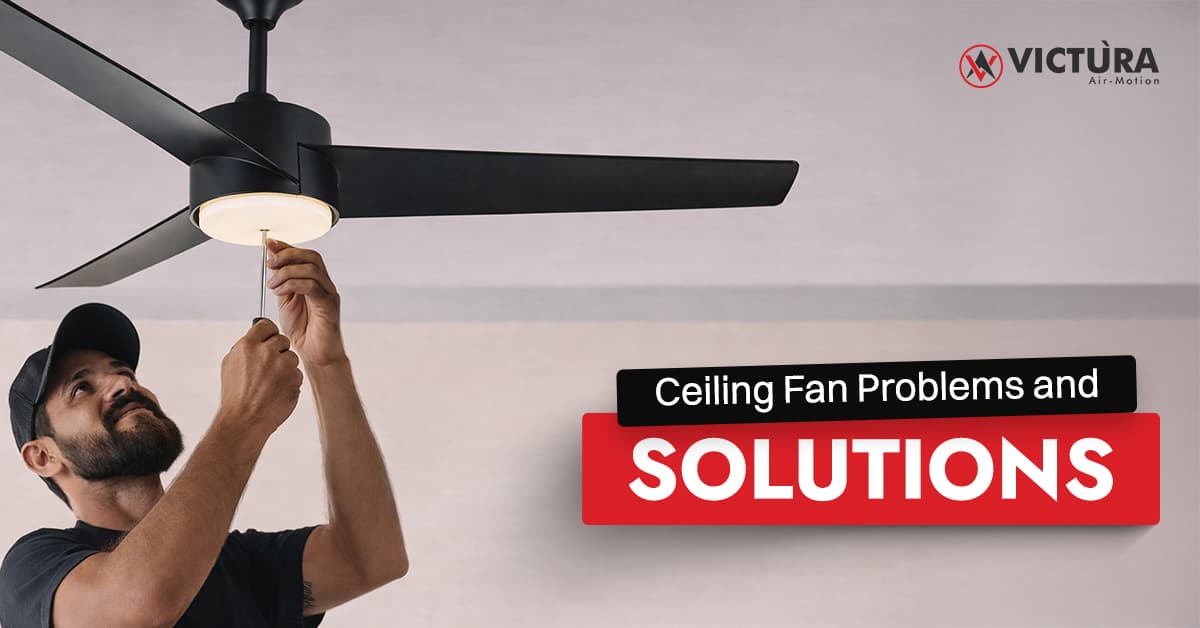
Ceiling Fan Problems happen; it’s not a big deal. You may have been through this already: you’re lying on the couch, scrolling through your phone, and suddenly you hear a clicking sound. No, it’s not the neighbours; it’s your own fan! Or worse, it just stops spinning?
The truth is, we don’t really notice our ceiling fans until something goes wrong. The good news? Most fan issues are surprisingly common and totally fixable once you know what you’re looking at. So whether your fan’s making strange noises or feels more like a lazy breeze than a gust of air, this blog has your back.
Let’s break down the 7 most common ceiling fan problems and how to fix them, plus some tips to keep your fan spinning strong for years to come.
Even the best quality ceiling fans have them, so you should know what you’ll be dealing with:
You turn on the fan. Nothing happens. Or it only runs at one speed, slowly. You call in the technician and find out it was just the capacitor that burned out. Easily replaced with a new one for just ₹150.
What’s going on:
The capacitor (that little component responsible for jumpstarting the motor) might’ve burnt out. It’s like trying to start your scooter with a dead battery.
The fix:
Call in an electrician to replace the capacitor. It’s usually a 10-minute job if you’ve got the right part.
You get home after a long day and just want to chill for a bit. But as soon as you turn on the fan, it begins to shake like it's tipsy. This kind of thing can make you sigh in frustration.
What’s going on:
Unbalanced blades or loose screws. Sometimes, too much dust gets collected, leaving the fan uneven. Hope you didn’t throw out those little packets of plastic clips that come with fans, it’s going to be handy.
This happens when dust piles up unevenly or the fan is not put up correctly.
The fix:
Turn off the fan, tighten the screws, and wipe the blades. Use a blade-balancing kit or keep switching the blades until they are stable.
You hit the switch. Nothing. Not even a hum. You look up, and it's stuck, just staring back at you like it’s doing the mannequin challenge trend from 2016. The secret is the motor; keeping it clean and sealed is the key.
What’s going on:
Loose wiring? Burnt capacitor? Jammed motor? It could be any of these.
The fix:
Start with the basics: check your switch and MCB. Still dead? Get an electrician to inspect the internal wiring or the motor housing.
A low hum in the day is a loud one at night because of the silence. The sound can break one’s sanity. You can’t sleep, and your fan's now the star of a horror movie soundtrack.
What’s going on:
Loose screws, poor installation, dried bearings, or internal motor hum, take your pick.
The fix:
Tighten everything in sight. Then add a drop of oil to the bearings. If it’s still humming, there could be an internal issue that needs a pro.
One blade looks wonky. Or you hear an uneven thudding sound as the fan spins. If you live near the coast or in a humid climate, your fans are more prone to this kind of damage.
What’s going on:
Blade(s) might be bent, cracked, or warped — especially common in older wooden or MDF blades.
The fix:
Replace the damaged blade — but only with a matching one. Mismatched blades = wobbles and motor strain. Little pro tip for you: invest in ABS plastic fans.
Fan’s on full speed, but it feels like a gentle whisper of air. You’re sweating, wondering what’s gone wrong.
What’s going on:
Again, that tiny capacitor might be at fault. Or the motor’s just tired from years of use.
The fix:
Swap the capacitor. If that doesn’t help, time to check the motor or… consider a new fan. If your fan is more than 8–10 years old, replacing it might be more energy-efficient in the long run.
The fan sounds like it’s grinding metal. You’re waiting for sparks. Not fun. Even modern ceiling fans can have this issue.
What’s going on:
The motor bearings have dried out or worn down. Bearings help the motor spin smoothly — when they fail, it’s friction city.
The fix:
If it’s just dry, lubrication can help. If it’s damaged, a technician can replace the bearings. Don’t ignore this — the longer you wait, the worse it gets.
Choosing a new ceiling fan? Here's what kind of smart fans to look for:
Ceiling Fan Problems can wreak havoc on your home if you don’t keep them in check. It’s fine if your ceiling fan acts up after long usage; every machine needs a little bit of care here and there.
Whether it’s your fan’s capacitor that’s burnt or the bearings have come loose, most of these common problems also have quick solutions. Just a phone call to an electrician will solve most of these issues.
Now, you know how to keep your fan in good shape, how it runs, and the issues it can have. Next time any issue pops up, you'll know how to fix it fast.
A burnt-out capacitor is the biggest problem. It can slow down the fan or stop the fan completely. Wobbling and uneven blades are also common problems.
Electric fans can have weak airflow, be loud, or not turn on. These issues are often due to motor troubles, dust, or a bad capacitor.
If your fan is slow, doesn’t spin, or sticks to one speed, it might be a bad capacitor. You might hear a low humming sound but see no blade movement.
Ceiling fans stir the air to make you feel cool, but don’t drop the room's heat. Not cooling well can be from low speed, poor airflow (low RPM), or bad fan placement.
A weak fan may be due to a bad capacitor, dust in the motor, or old parts. It could also be too weak for the room size or set too low due to switch problems.
Speed changes can come from uneven power, a dying capacitor, or loose wires. Less often, the speed control switch might be broken.
Keep moving with bright ideas. From the way air moves to clever home hints, our blog is your place to dive into ease, style, and smart energy use.